


PDF Accessibility Preflight Gadget
The PDF Accessibility Preflight gadget helps content editors identify potential accessibility issues in PDF documents before uploading them to Modern Campus CMS. The gadget performs preliminary accessibility checks aligned with WCAG 2.2 Level AA guidelines and generates a report highlighting potential issues, checks that passed, and areas requiring manual review.
How to Use the Gadget
-
Open the gadget. Navigate to the PDF Accessibility Preflight gadget from your Modern Campus CMS dashboard or sidebar.
-
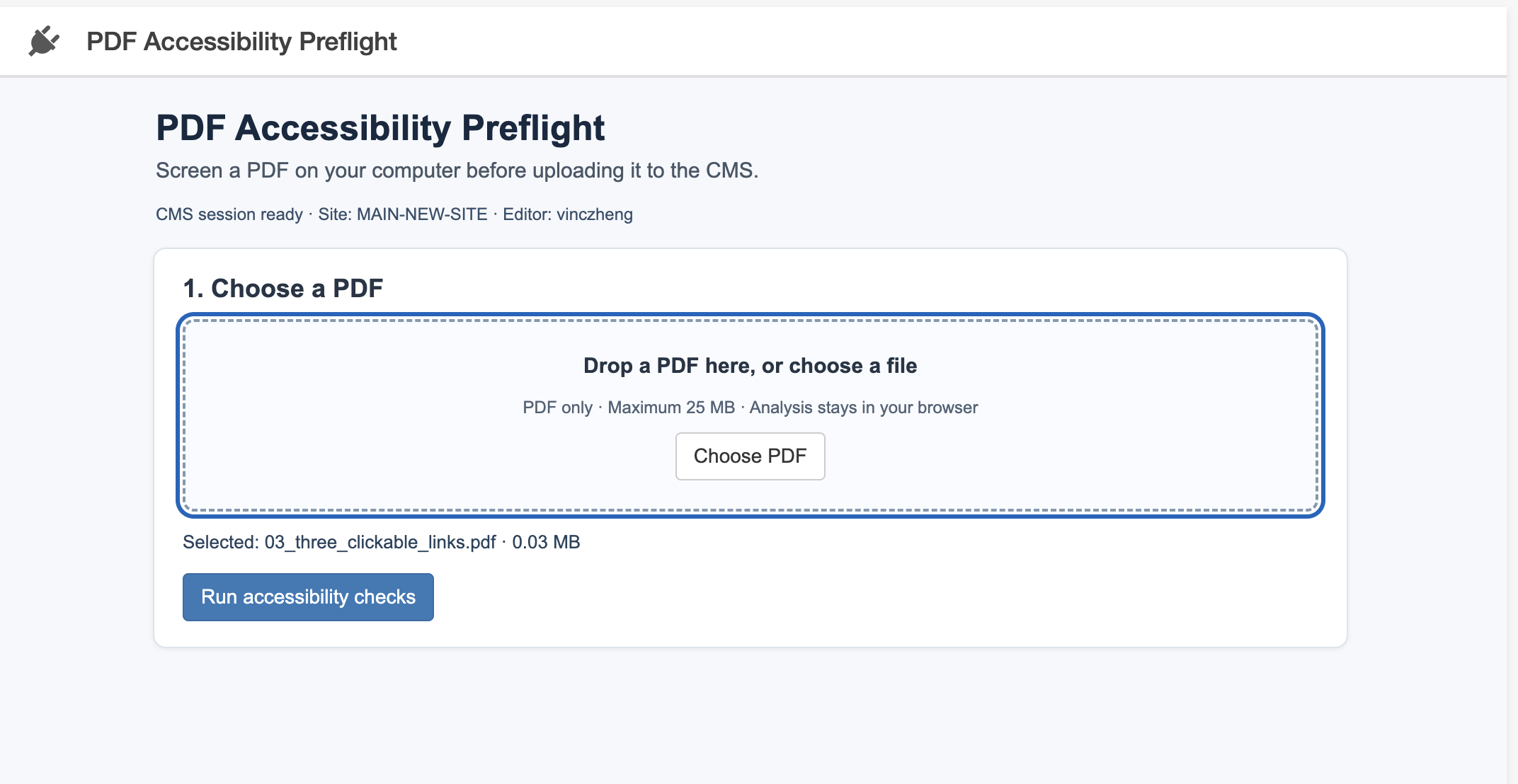
Select your PDF. Click Choose PDF to select a file from your computer, or drag and drop a PDF into the designated area.
-
Run the accessibility checks. Click Run Accessibility Checks to begin analyzing the document.
-
Review the results. Once the analysis is complete, the gadget displays a report identifying potential accessibility issues and recommendations for addressing them.
-
Address any issues. Review the findings and make necessary corrections in your original document or PDF editing software. If changes are made, export the PDF again and rerun the checks.
-
Upload your PDF. After reviewing the results and completing any necessary manual accessibility checks, upload the PDF to your CMS media folder using the normal CMS upload process.
Understanding the Results
The gadget uses the following statuses to indicate the outcome of each check:
| Status | Meaning |
|---|---|
| Pass | The specific automated check found no issue. This does not guarantee full accessibility compliance. |
| Fail | A detectable issue was identified that requires correction. |
| Warning | A potential accessibility issue was detected and should be reviewed. |
| Unable to Verify | The gadget could not reliably determine whether the accessibility requirement was met. Manual review is necessary. |
| Not Applicable | The specific check does not apply to the document or is outside the check's defined conditions. |
The gadget performs 13 preliminary checks covering common PDF accessibility considerations, including:
-
PDF tagging and document structure
-
Extractable text and potentially scanned pages
-
PDF security permissions
-
Document language
-
Document title
-
Bookmarks in longer documents
-
Figure alternative text
-
Table header structure
-
Heading structure
-
Interactive form-field labels
-
Hyperlinks and link purpose
Logical reading order and proper color contrast cannot be automatically checked, and therefore is left up to the user to validate.
The PDF Accessibility Preflight gadget is intended to serve as an initial accessibility screening tool, not a complete WCAG AA compliance certification.