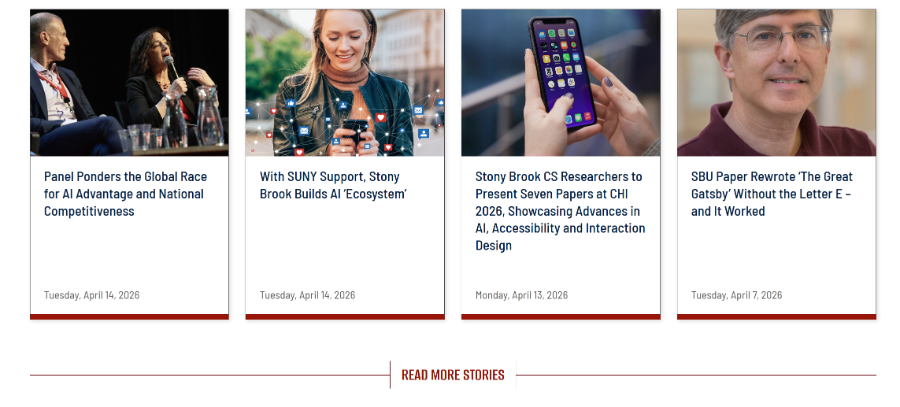
News Feed Component
About the News Feed Source
This News Feed component pulls content from the university’s WordPress news site: Stony Brook News
It does not pull from any news content managed within your Modern Campus site. If your department maintains its own local news pages, those will not appear in this feed.
If you need a news tag or category created for organizing News stories, contact Michael Gasparino for assistance.
Use this component: 1_Cards – SBU News Feed (New)
You will need to lookup the category or tag from our news site.
Please use the tool below to quickly find the ID number for a News tag or category.
You can use these IDs when configuring News Feed components to filter content.
Tag & Category ID Lookup
Enter a keyword to find the ID for a News tag or category.
How to Configure the News Feed
After adding the News Feed component to your page, you can customize it using the following options:
Display Settings
- Choose a background color
- Add an optional section title
- Select the number of stories to display
Filtering Content
- Enter a Category ID and/or Tag ID to control which stories appear
- Use the lookup tool on this page to find the correct IDs
Link to More Stories (Optional)
- You can link to a full listing of stories by pointing to a category or tag page on
Stony Brook News - Example: linking to a category page allows users to view all related stories beyond what is shown in the feed