


How to Access Your Digital Content
Step 1
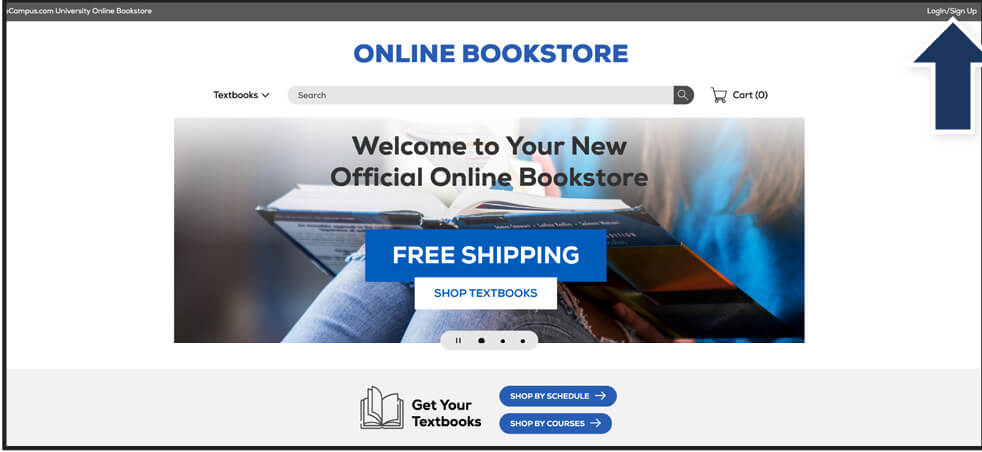
Visit your Online Bookstore and select Login/Sign Up in the upper-right corner.
Step 2
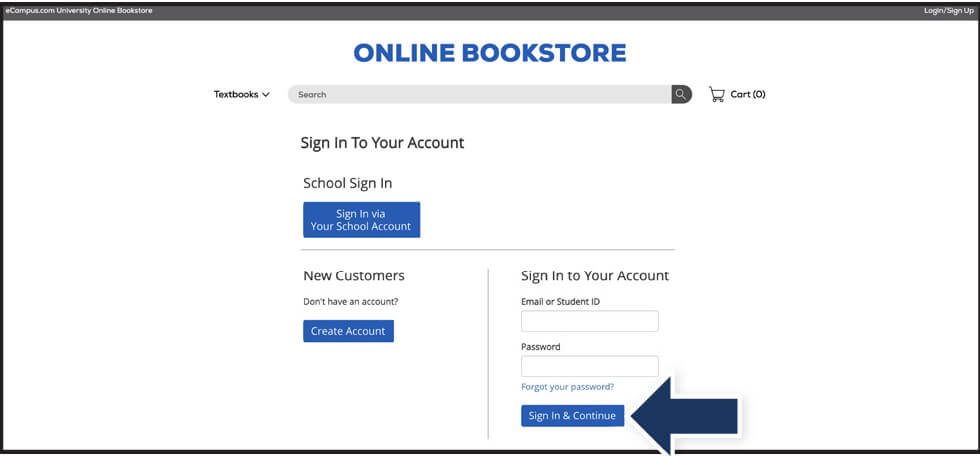
Sign in with the credentials you used when you placed your order.
Step 3
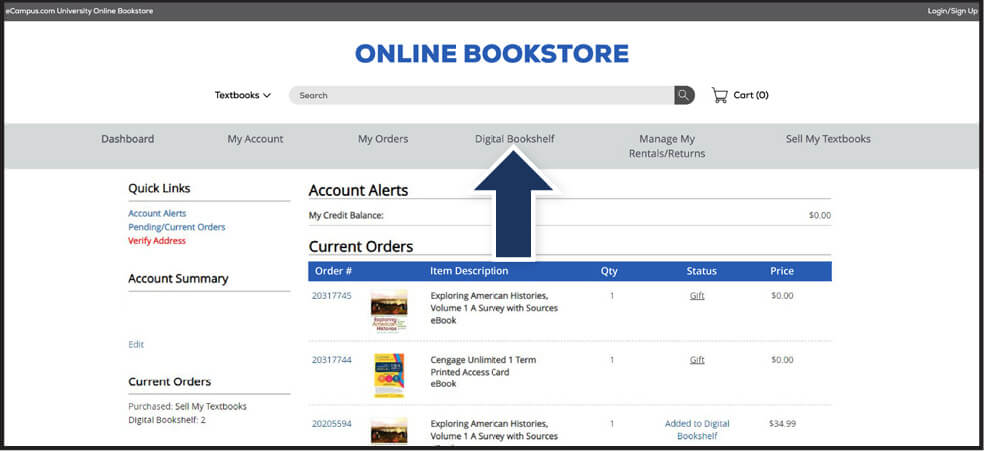
Select Digital Bookshelf from the menu at the top.
Step 4
Select Click to Reveal to view your eBook or gain instructions for redeeming your access code.
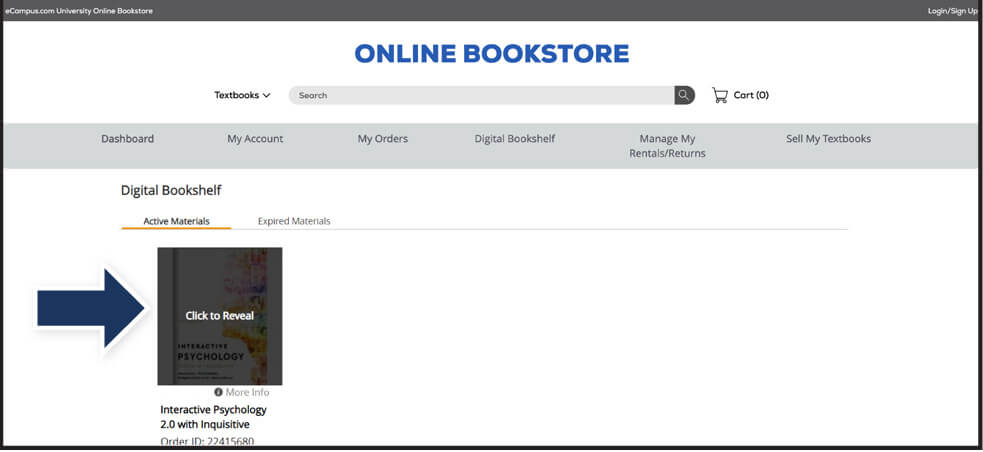
Digital content, including eBooks and access codes, are loaded to your Online Bookstore account under your Digital Bookshelf.
To return an eBook or access code for a refund, please contact customer service.
Revealed digital materials may not be eligible for a refund.